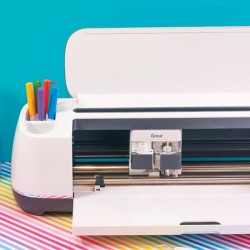

It’s that fabulous time again! Silhouette Portrait Giveaway Time! I am so excited to also share with you my rendition of the “hello” shirt…with my “Hola!” shirt, using Silhouette’s Heat Transfer interfacing! I love interfacing and using it just got a whole lot better now that I can cut fabric with my Silhouette! Now that I have my toes wet….the ideas are just racing through my head about things I can create next!
The downfall of using fabric for designs and appliques is “How am I going to cut that out so it looks decent?” Right? Like a snowflake for instance or a detailed flower or vine pattern or even my fun scripty font I used for my shirt. The cuts are so crisp using your Silhouette and the interfacing keeps the design right where it should be while you are sewing it in place! I am in love! LOVE I tell you! Here is how I made my shirt:
I started out by finding a font I liked for the word hola. I chose Lavanderia Sturdy. You have to have it ‘thick’ enough to sew around!. Next I added an exclamation point and decided that I wanted the dot to be a heart. So I selected my exclamation and clicked “release path” on the Weld screen and that made the dot and the exclamation line separate objects. I deleted the dot and replaced with a heart! Voila!
Next I cut out a piece of the interfacing that was about an inch larger in both height and width of my design. I ironed the rough side of the interfacing down on the back side of my fabric.
Next trim your fabric to be the same size as the interfacing rectangle and remove the backing. {Can you see my mat gets lots of use!?}
Place your interfaced fabric on your cutting mat. Feed the cutting mat into your machine. Note: to avoid bunching, make sure the fabric is not under the white rollers.
Next I went to my cut settings and chose fabric, replaced my regular blade with my blue fabric blade, set the blade at a 3 and then cut!
Remove the excess from the design and you are left with your perfect design.
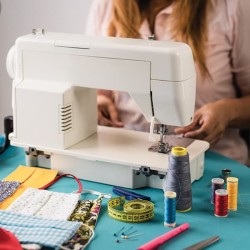
I ironed that onto my shirt and then ran some stitches through it on my sewing machine.
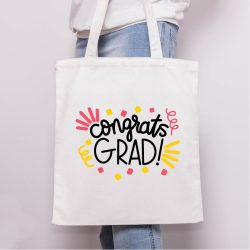
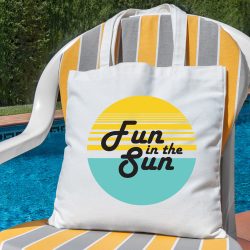
I’m kind of in love with it! You can use this technique on tote bags, beach towels, pillows, blankets, canvases, shirts, shorts, tanks…the options are endless! For a limited time you can get some awesome bundle deals with the interfacing! Be sure to shop from the link below and use the code CHE at checkout to get the deals!
Fabric Bundle for $29.99 consists of:
-
1 of each fabric interfacing
-
fabric blade
-
$25 Silhouette Online Store download card
The Silhouette Portrait Bundle for $129.99 consists of:
-
A Silhouette Portrait cutting machine
-
1 of each fabric interfacing
-
fabric blade
-
$25 Silhouette Online Store download card
The Silhouette Cameo Bundle for $269.99 consists of:
-
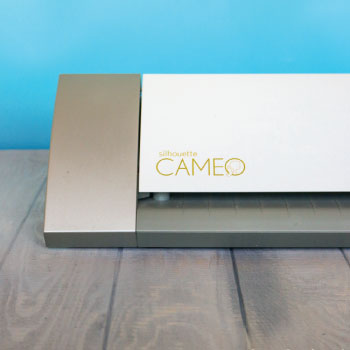
A Silhouette Cameo cutting machine
-
1 of each fabric interfacing
-
fabric blade
-
$25 Silhouette Online Store download card
You can shop using this link right here: www.silhouetteamerica.com/fabric and remember to enter code CHE in at checkout!
If you want more chances to enter to win then be sure to check out all these awesome bloggers who have made projects and are hosting giveaways as well!
A Pumpkin & A Princess | 733 | Ginger Snap Crafts | Crazy Little Projects | Pretty Handy Girl | Whipperberry |
Mom 4 Real | Simply Designing | Design, Dining and Diapers | Mom Endeavors
Now onto the Giveaway! ONE lucky person will win a Silhouette Portrait of their very own! Woo Hoo! Please use the rafflecopter widget below to enter for a chance to win! Giveaway valued at $269.99 and is open to US residents only. By entering this giveaway you are agreeing to my official giveaway rules.